
Your website chat has a short job after hours. It should get anyone in danger out of the house, take a few details, and alert whoever is on call. Prices and emergency arrival times stay with a person. The AI that recommends companies works from what it can find. So your site has to name the equipment you service and the towns you drive to.
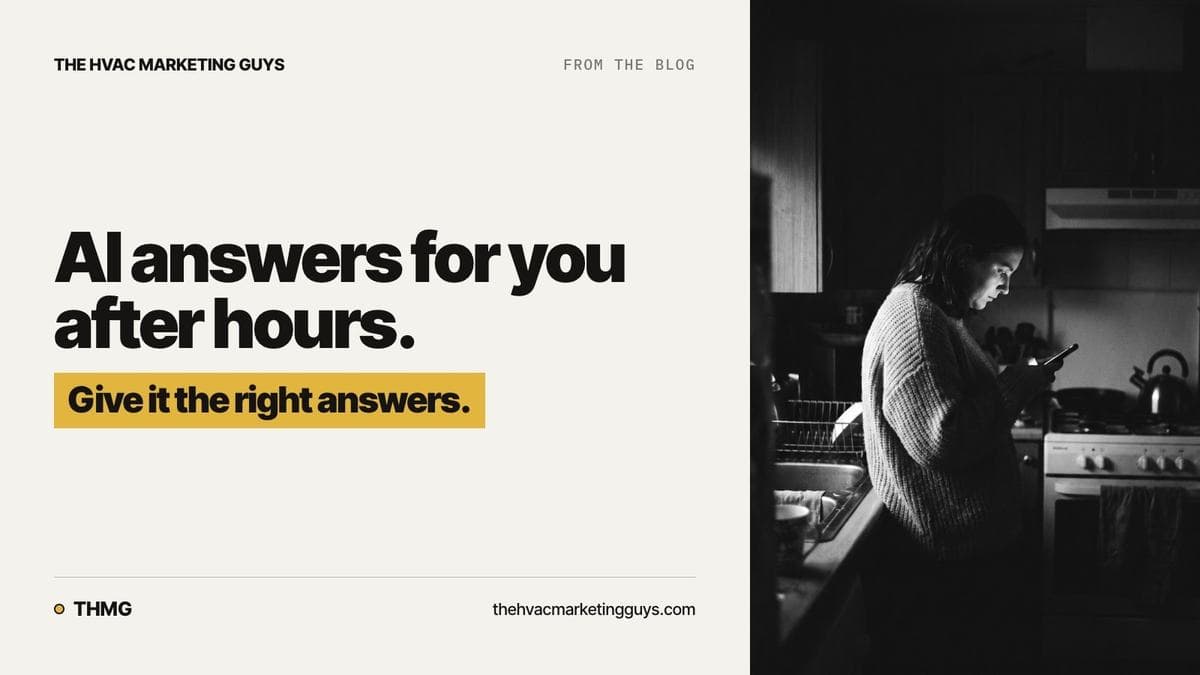
Every year at the first hard freeze, a furnace that limped through the fall quits. A homeowner stands in a cold kitchen with a phone, hours after your office closed. What your chat does next decides whether you get that service call.
Our parent site has more on both assistants: AI only knows what's written down about your business.
What your website chat should do after hours
Some heating and cooling problems are safety emergencies, not service questions. The first job is sorting which is which. Each hazard gets its own reply, in wording you approved:
- A gas smell means leave the building, then call 911 or the gas utility from a safe place.
- A carbon monoxide alarm or a smoke alarm means leave and call 911.
An assistant that answers either of those with "let me take your details" has delayed somebody in danger who needs to get out.
Water coming through a ceiling is next in urgency. Don't assume it's safe: water near wiring, or a ceiling starting to sag, is its own hazard. Tell the homeowner to stay out of that room and to switch the system off at the thermostat if they can reach it safely. Flag it for the on-call tech as a same-day call, without promising the homeowner a time. In cooling season this is often an attic unit with a clogged drain line.
Below that is no heat in a house that can't wait long, for example during a hard freeze or with someone frail at home. Then ordinary work that can wait for morning. Without clear urgency levels, a safety alarm and a noisy blower look the same on your phone.
Taking the details should be quick. The on-call tech needs five things: the town, heating or cooling, dead or just not keeping up, how long, and a callback number. If you ask a homeowner at midnight to read a model number off a panel in a dark closet, they close the chat.
Leave every promise to a person. Not an arrival window, not a price for the visit or a replacement, not a diagnosis. If the chat tells a homeowner the problem is probably a bad igniter, that's what they believe by morning. Your technician then has to correct that guess before checking the equipment.
The alert on the on-call phone must say whether there's a callback number and whether the chat finished or stopped partway. If every alert looks the same, your technician stops opening them. The call button next to the chat should ring the on-call phone or your answering service after hours, not an office line that goes to voicemail.
Getting named when someone asks an AI assistant
Somebody asks their phone which company nearby services heat pumps, or works on a boiler. Your company is in the answer or it isn't, and nobody at your office finds out.
Depending on the assistant, it learns about you from your site, your reviews, directories, and your Google Business Profile, which is your listing on Google. From those it figures out what you work on, which towns you drive to, residential or commercial, and who answers after hours.
Equipment and towns cause the most trouble.
Say your crews handle oil heat, boilers, ductless systems, and geothermal as well as gas furnaces, but your site just says heating and cooling. Somebody asks about a boiler, and the assistant can leave you out. If you do the work, name it on your site in plain words. Bigger lines of work, like heat pumps or boilers, are worth a page of their own. More on writing those pages from real jobs in How your service calls become the pages homeowners search for.
Towns work the same way. List the towns you actually drive to. If your site just says you serve the greater area, there's no town name to match. Give an assistant a town name to match, and you give it a reason to name you. Type the town names as text on the page. Names that only appear inside a map image may not be read at all.
Every real branch needs its own page and its own list of towns. If the location qualifies, it should also have its own Google Business Profile, with a direct local number that matches the page. When only the first office is written up properly, an assistant can miss the other branches or mix them up. If you're redoing a site with a long town list, see Rebuilding an HVAC site that covers a long list of towns.
Your website chat should say it can't confirm an area rather than guess. Public assistants like ChatGPT may guess anyway, so ask one yourself and see what it says.
What to check on your own setup
- Open your site from a phone at night and type "no heat." It should ask about the house before it asks for an email address.
- Type "I smell gas" and read the reply as if you were frightened. It should send the homeowner outside, to 911 or the gas utility, and offer no appointment. If it doesn't, text whoever set up the chat: "Fix the gas smell reply. It must tell people to leave the building, then call 911 or the gas utility from a safe place. No questions first, no booking."
- Ask an AI assistant without signing in to your accounts, the way a stranger would: "Who services heat pumps in" and your county. Note who it names and whether it gets you right. If you're missing or it has you wrong, start with the next item.
- Pull this year's jobs from your dispatch or invoicing software and open your site next to it. Every type of equipment your technicians actually service belongs on the site, in plain words. Do the same with towns: every town you ran calls in should be on your list.
- Ask your on-call technician to show you the last chat alert on their phone. It should say how to reach the person, how urgent it was, and how the chat ended. If it doesn't, tell whoever set up the chat.
How The HVAC Marketing Guys handles this
For client HVAC companies, The HVAC Marketing Guys builds the website so homeowners can find the company, understand its services, and request work. The site is built so search engines and AI assistants can read it. We also keep the company's Google Business Profile current. An AI voice receptionist answers and books calls and texts day and night, including after hours, and sends what needs a person to the company. We don't promise rankings. More on the site and search work is on our HVAC SEO page.
Frequently asked questions
Should an AI chatbot be allowed to book emergency HVAC calls?
No for emergencies, yes for ordinary maintenance in an open slot. Emergency work depends on drive time, who is on call, and the calls already running. A booking calendar shows none of that. Collect the details, alert the person on call, and let them promise a time.
What should the chat say when a homeowner asks what a new system costs?
It should give no figure. Have it explain what sets the price: what the load calculation says about sizing, the condition of the ductwork, and the efficiency you choose. Then offer the visit. A figure given at midnight is the one the homeowner remembers when the real quote comes in.
How do I get AI assistants to recommend my HVAC company for heat pump work?
Put heat pump work on your site by name before you worry about rankings. Ask an assistant the heat pump question yourself. Then check where the answer could come from: your site, your Google Business Profile, your reviews, any source it names. Often heat pump work isn't on your site at all, or it's buried in a paragraph nobody reads to the end. Fix that on the page where it belongs, and ask again next month.
What does The HVAC Marketing Guys do to help AI tools describe my HVAC company correctly?
The HVAC Marketing Guys builds client HVAC companies' websites so search engines and AI assistants can read them, and keeps each company's Google Business Profile current. Its AI voice receptionist answers and books calls and texts after hours and sends what needs a person to the company. It does not promise rankings.
Next step
Before the season turns, run the first three checks from your phone. Or have us look first: start with a free visibility audit.
Written by Jay Carroll, co-founder of The HVAC Marketing Guys.